Reaper Batch Renaming Markers and Regions
Dynamic Split
Going to assume you know D for dynamic split. When working with 0.2-1s clips make sure to uncheck "At Transients", start with "Threshold" at 0db and keep working your way to - infinity until you see the silence spaces you want removed
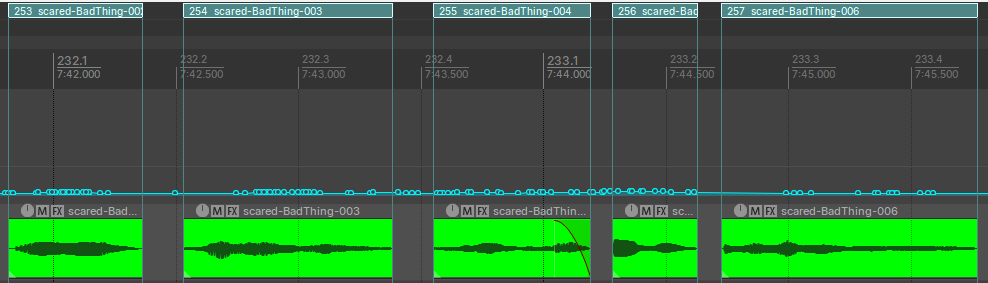
Create Regions Per clip
- Highlight the clips you want to make regions for
- Actions >
Markers: Insert seperate regions for each selected item
Install Package
- In the DAW
Extensions > RePack > Browse Packages - search for
batch rename plus(right click and install) - install https://sws-extension.org/download/pre-release/ with your OS. My Win 11 64-bit PC used
sws-2.14.0.7-Windows-x64-9daba634.exe - Run the Action
Batch Rename Plus - You may be asked to install other packages (GUI, etc.)
reaper_js_ReaScriptAPI64.dllreaper_imgui-x64.dll- restart Reaper as needed
Batch Rename Region Names
- Select clips/regions you wish to target
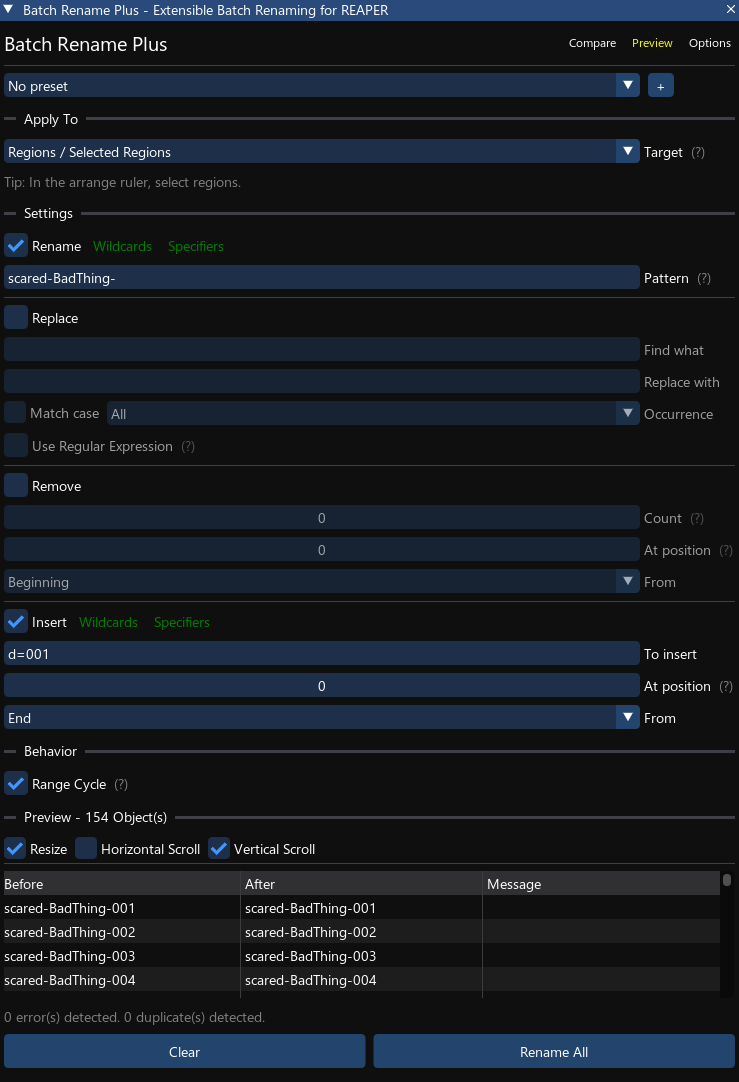
- Run the Action
Batch Rename Plus Apply Totarget selectRegions / Selected Retions- Click first region in timeline, hold shift and click the last region to select multiple.
- checkbox
Renameand fill in text - Use
Specifiersto help append prefix/suffix like numbered indexes. - hit
Rename All