Reaper Batch Export Regions as Separate Clips
SFX Weapon
Reaper is hands down the best way to record, edit, and export many SFXs. It's powerful batch regions/renaming/exporting makes it super easy to lay down many small clips and reiterate over them with different processing.
Dynamic Split
Going to assume you know D for dynamic split. When working with 0.2-1s clips make sure to uncheck "At Transients", start with "Threshold" at 0db and keep working your way to - infinity until you see the silence spaces you want removed
You may need to Batch Rename Markers and Regions before continuing.
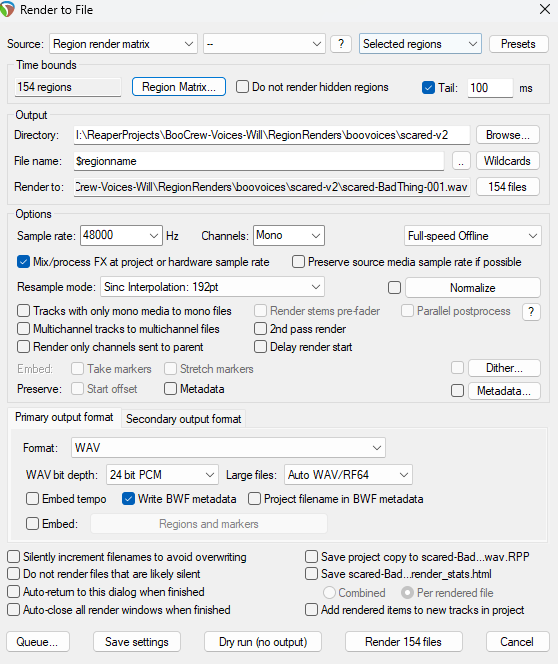
File>Render...(orCtr + Alt + R)- Source = Region render matrix
- Selected regions
- Region Matrix
- Select the corresponding square and column that is the final output of the clip you want to export
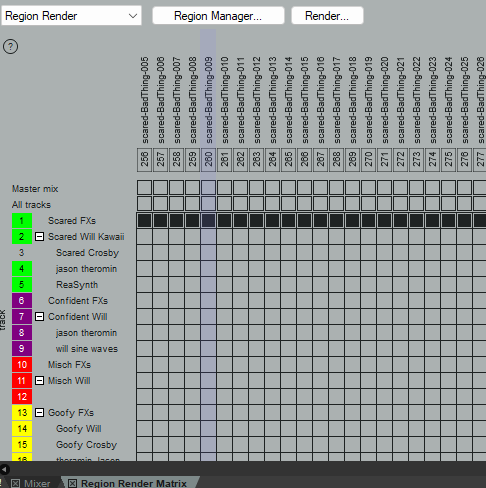
Region Render some
Here my bus output for the selected clips is "Scared FXs". All the other green tracks output to this bus channel.
- I like to add a
1000msto2000mstail if I'm using any FXs as to give it a little breathing room for the FX trail off before the clip cuts off. - Edit Directory and File name to taste
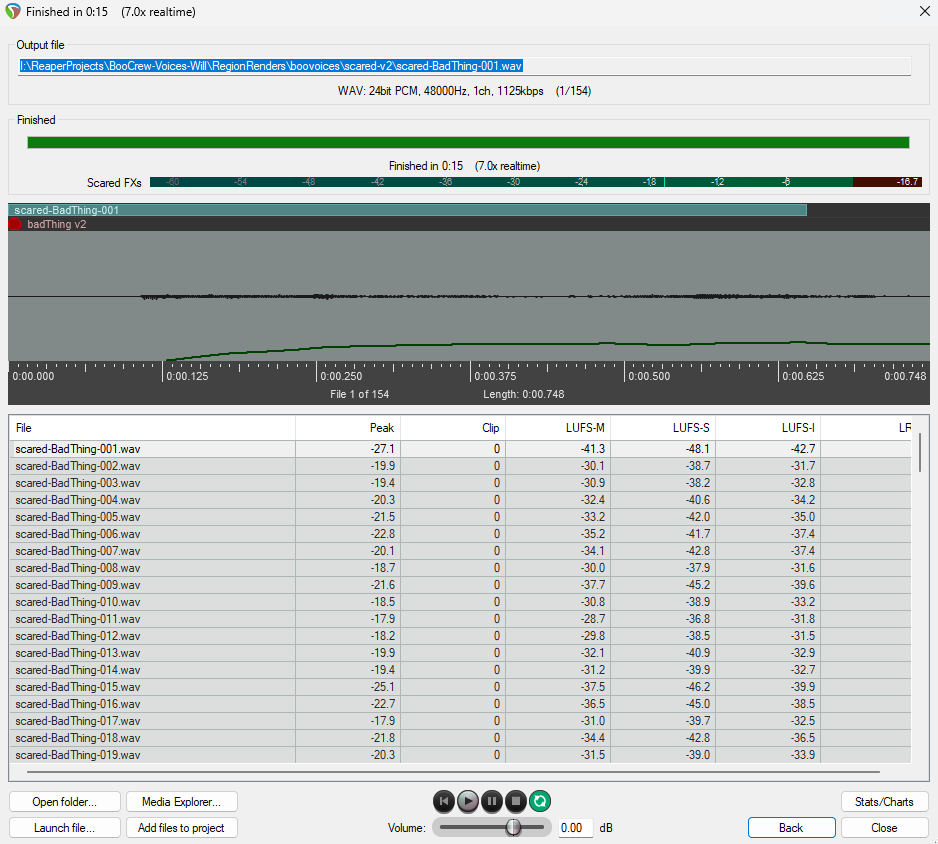
- Render
#files
Pro Tip
Use 'Dry Run' to make sure you're not gonna export junk or other unwanted regions.