Let's Encrypt via DNS and Porkbun API
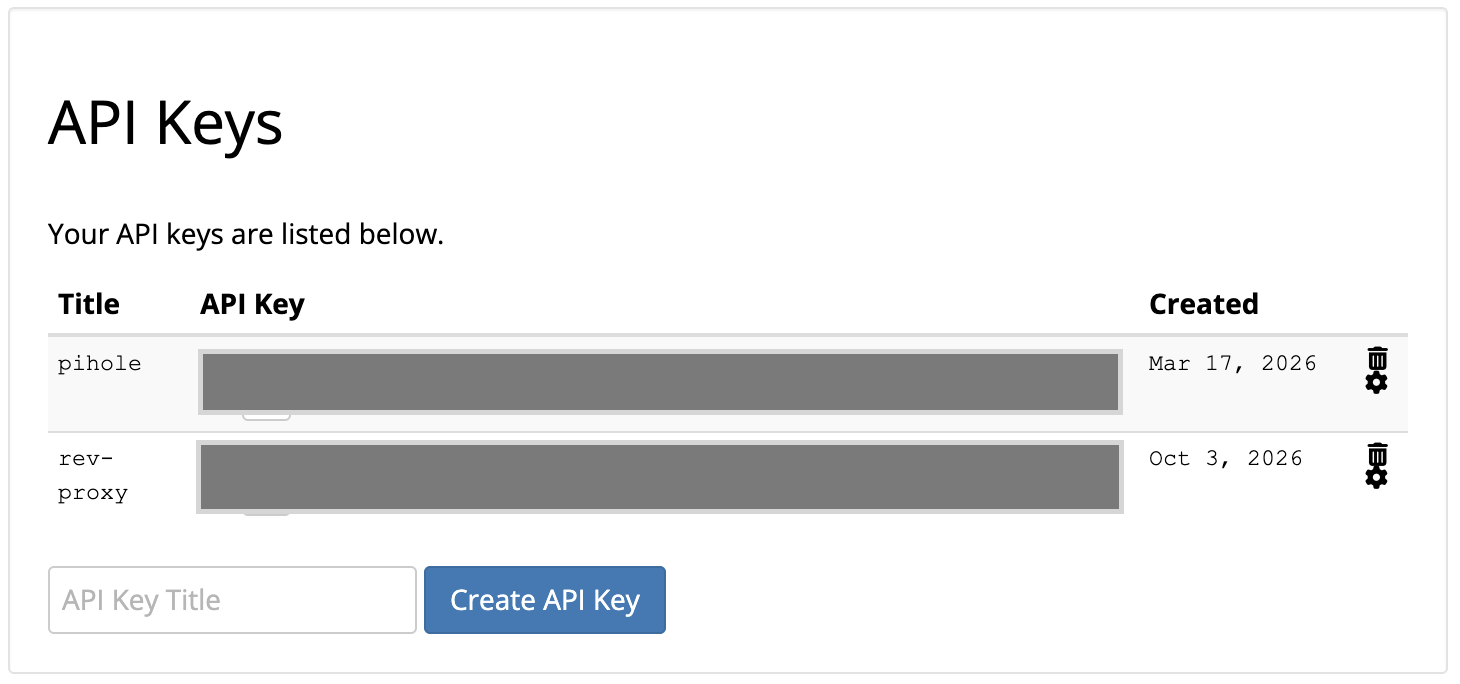
Porkbun
https://porkbun.com/account/api
Nginx Proxy Manager
https://proxy.lan/certificates
ECDSA 256 is the modern choice, but RSA isn't a bad fallback option
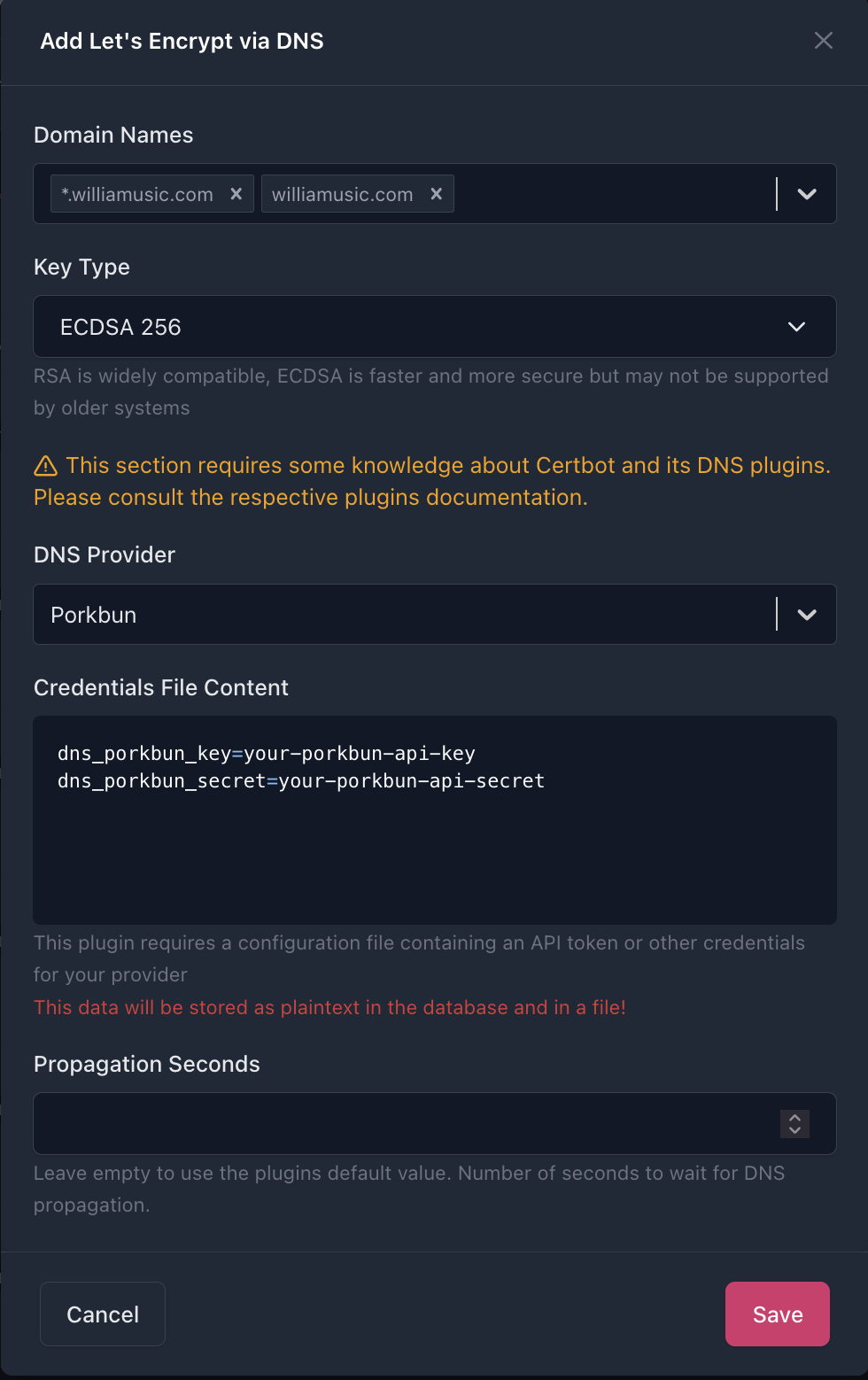
'save' takes a while to process.
Error
JSON.parse: unexpected character at line 1 column 1 of the JSON data
This showed up for the 2 keys I generated, but it still worked. Don't hit the "save" button again as it will show a 'server error'. just x to close the window. Give your DNS provider some time to clear this (10m-1h)
The key is ready to use
Troubleshooting
Some Domains don't work
For some reason a few domains just wouldn't take the new cert, but some others do.
Browser says something like.
Secure Connection Failed

The page you are trying to view cannot be shown because the authenticity of the received data could not be verified.
What can you do about it?

The issue is most likely with the website, and there is nothing you can do to resolve it. You can notify the website’s administrator about the problem.

Error Code: SSL_ERROR_UNRECOGNIZED_NAME_ALERT
Solution
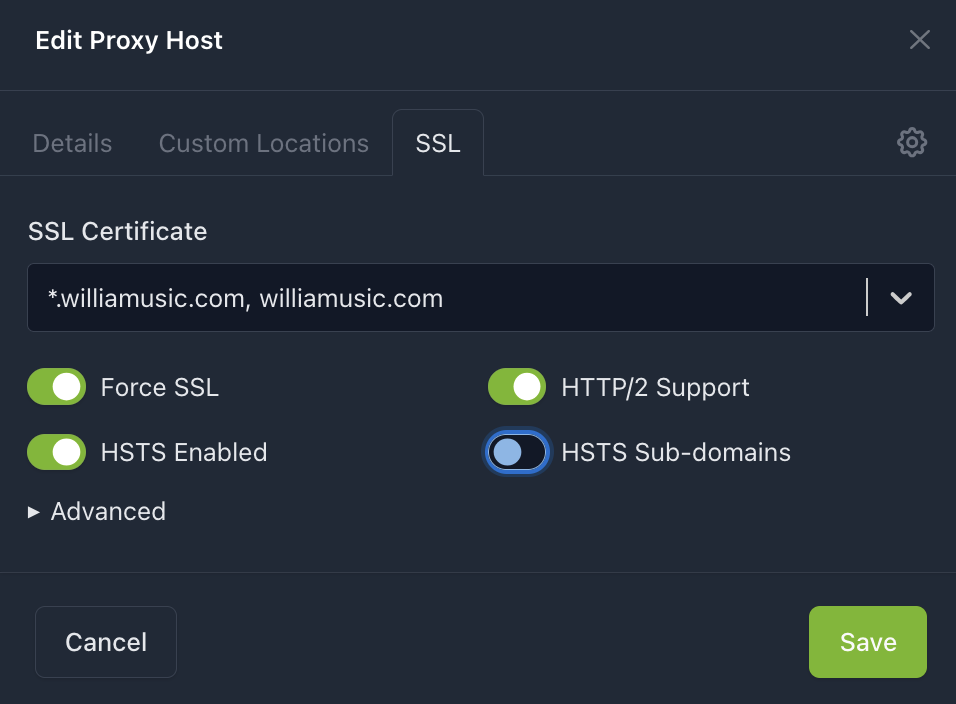
- go to the proxy host and edit
- SSL tab
- Save (to reconfirm)
Below is my
openssl s_client \
  -connect pictures.williamusic.com:443 \
  -servername pictures.williamusic.com \
  </dev/null 2>/dev/null |
openssl x509 -noout -subject -issuer -ext subjectAltName
# output
Could not find certificate from <stdin>
80A061E601000000:error:1608010C:STORE routines:ossl_store_handle_load_result:unsupported:crypto/store/store_result.c:160:provider=default


openssl s_client \
  -connect analytics.williamusic.com:443 \
  -servername analytics.williamusic.com \
  </dev/null 2>/dev/null |
openssl x509 -noout -subject -issuer -ext subjectAltName
# output
subject=CN=*.williamusic.com
issuer=C=US, O=Let's Encrypt, CN=YE1
X509v3 Subject Alternative Name:
    DNS:*.williamusic.com, DNS:williamusic.com
dig +short pictures.williamusic.com
dig +short analytics.williamusic.com

# output
192.168.1.100
192.168.1.100
docker exec nginx-proxy-mgmt-3 nginx -T 2>&1 | grep -A 20 -B 5 'pictures.williamusic.com'
# nothing

docker exec nginx-proxy-mgmt-3 nginx -T 2>&1 | grep -A 20 -B 5 'analytics.williamusic.com'
}

# configuration file /data/nginx/proxy_host/30.conf:
# ------------------------------------------------------------
# analytics.williamusic.com
# ------------------------------------------------------------

map $scheme $hsts_header {
    https   "max-age=63072000; preload";
}

server {
  set $forward_scheme http;
  set $server         "ice.lan";
  set $port           9002;
  listen 80;
#listen [::]:80;

listen 443 ssl;
#listen [::]:443;
  server_name analytics.williamusic.com;
  http2 on;
  # Let's Encrypt SSL
  include conf.d/include/letsencrypt-acme-challenge.conf;
  include conf.d/include/ssl-cache.conf;
  include conf.d/include/ssl-ciphers.conf;
  ssl_certificate /etc/letsencrypt/live/npm-135/fullchain.pem;
  ssl_certificate_key /etc/letsencrypt/live/npm-135/privkey.pem;

  # Block Exploits
  include conf.d/include/block-exploits.conf;